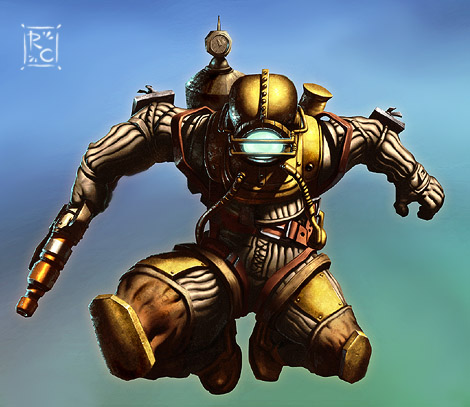
In this walkthrough I explain how I used Photoshop and a Wacom Tablet to paint a character from the new videogame Bioshock for GamePro Magazine. This walkthrough gives you an overview on how to use textures in a digital painting. Enjoy!
New GamePro Magazine Cover Painting

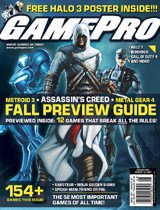
I had the honor to paint the cover for GamePro again recently. It’s out now, the August 2007 issue, featuring 3 characters from super well known videogames: Assassin’s Creed, MGS and Metroid Prime. The line art art was drawn by Joe Ng (another UDON artist).
Check out the high resolution version here on the UDON’s deviant art page: http://udoncrew.deviantart.com/art/Gamepro-Cover-Trio-59716006
And here’s a link to the entry in my gallery. If you like it or have bought the magazine, leave a comment :)
Roberto
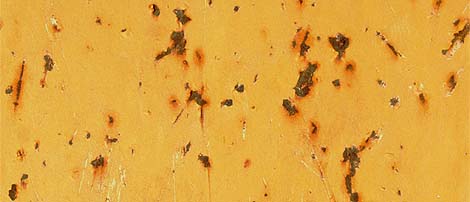
Downloads : Rusty Metal Yellow Paint Texture
![]()
This texture is the first of a long series of metallic textures I will be posting on my site for download. Some time ago I took tons of pictures of heavy construction equipment (bulldozers, excavators, etc) at a construction site nearby. It was the perfect place to get close-ups photos of gritty metallic surfaces. Pure texture heaven : dirty, scratched and rusty surfaces just waiting to be captured!
Photoshop Tutorial: Wonder Woman Pin Up Digital Painting
In this Photoshop tutorial I will show how I used Photoshop and a Wacom Tablet to create a digital illustration of a voluptuous Wonder Woman pin up. The tutorial reveals one of my digital painting techniques with a step by step walk through including images for each stage and layer settings. Enjoy!
New version of my gallery and fantasy art prints store!
This past week-end I have updated my gallery look. It now looks like the rest of my site. Feel free to browse through it and comment on the pieces that you like the most. Feedback is always appreciated.
Also, big news, I have re-launched my prints store! Now you can order prints of some of my most popular fantasy pieces through cafepress. Only $8.99 for poster prints! A steal of a deal :)
Roberto
Tutorial: Choosing the right Wacom Tablet
In this tutorial I will introduce you to the benefits and features of a Wacom Tablet. You will find this tutorial especially useful if you are planning to get a Wacom Intuos or Wacom Graphire in the near future.
Photoshop Tutorial : Soul Eater Fantasy Digital Painting
This tutorial gives a detailed explanation on how to create a digital illustration using Photoshop and only a mouse as the input device. Of course, the tutorial also applies to users who own a graphic tablet (I recommend Wacom). The tutorial was featured in the book Digital Fantasy Painting by Ilex Press.
Painter Tutorial: Lord Of The Rings Characters Portraits
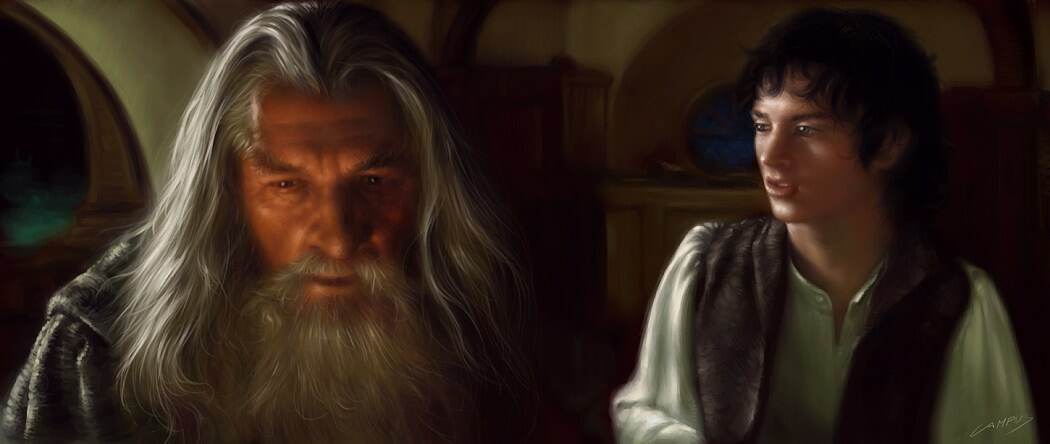
This tutorial explains the technique I used to paint portraits of 2 characters from the Lord Of The Rings movie using Corel Painter. The tutorial highlight: settings for the painbrush tool as used in this image shows you how to obtain a painterly style in your digital paintings using Corel Painter.
Photoshop and Painter Tutorial: Monkey VS Robot
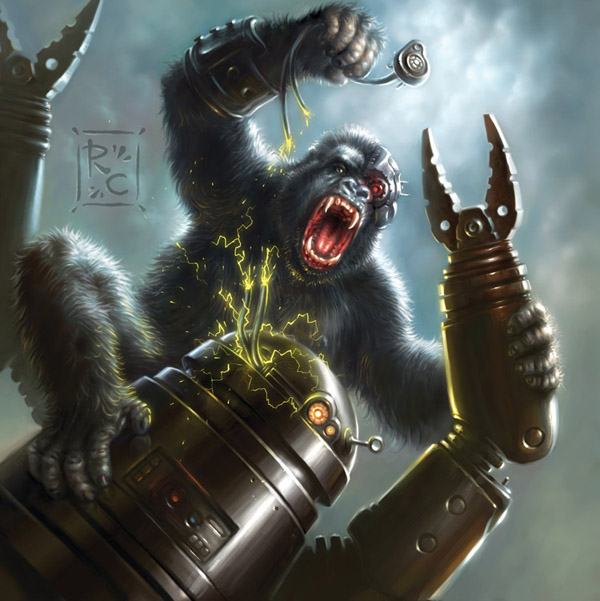
This tutorial explains how I used Corel Painter, Adobe Photoshop and a Wacom Tablet to create a digital illustration for the Shadowfist Trading Card Game featuring a cybernetic monkey fighting against a robot. This tutorial also appeared on the the book Digital Fantasy Painting Workshop by Ilex Press.
Photoshop Tutorial : Howling Digital Painting
This Photoshop and Wacom Tablet tutorial originally published in the Digital Fantasy Painting Workshop book by Ilex Press, explains how I created the Howling digital painting illustration. The image features an angry demon ripping the heart off his victim’s chest (beware: nudity). The tutorials provides detailed instructions on the Photoshop brush settings I used to paint the image. This tutorial explains, in particular, how to quickly achieve flesh tones using Adjustment layers.
Eye candy: A “Lost” caricature..

Pardon the pun ;)
Enjoy this caricature I did today of three of the main players in season 3.
Yes, I watch Lost. I hate to admit it.
Comments are welcome!
p.s. Watch out for those bug-eyes!
Photoshop & Painter Tutorial : Mad Scientist

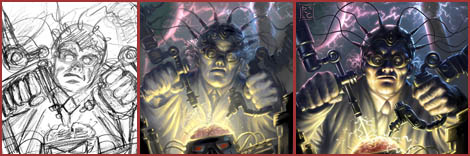
This tutorial shows how to draw create a digital illustration of a mad scientist doing a crazy experiment! I was asked to write this tutorial by CGTALK.COM for their articles section (see here). Also, this tutorial was featured on the book Digital Sci-Fi Art: A Step-by-Step Guide to Creating Stunning, Futuristic Images by Ilex Press.
Tutorial : Painting a digital portrait

This tutorial explains my technique for creating a digital portrait. Step by step instructions on how I go about painting a face portrait using Painter. This approach also works for Photoshop. A tablet (Wacom or any other with pressure sensitivity) is a must-have requirement. Enjoy!
This is Cool: Totally Cool Things
Oh.. the fun! How many times have you found yourself pronouncing the magical words “this is cool”?
I hope often! Because moments like that should come to us in buckets.. or bucket-fulls? Anyways, here I am going to show you what made me exclaim “COOL” with gusto. It could be a movie, a song, somewhere I’ve been.. something I found online.. anything that is COOL in my opinion.
So, brace yourself for a breeze of coolness coming your way very soon… how cool is that?!
The Geek Moment: too often or never enough?
This is supposed to be the fun-filled, fun-bursting, fun-tastical section of my site where I come up with geek-dom related stories.. expect especially hilarious recantations of moments where I have experienced geekiness in its highest form! Like.. the day I realized I had spent too much time on my tablet because I tried to click the UNDO button to fix a mistake I made while writing on a piece of paper with a REAL pencil… or when somebody mentioned a sci-fi character from Star Wars and I happen to KNOW too much about them… even what they had for lunch during the movie shooting breaks.. or the plot twists of some obscure Star Trek episode…
But.. never fear, this is also where you will find my musings on other geeky subjects.. like role playing (which I often do illustrations for), videogames (I wish I had time to play them.. sigh), computers (after all, I am in a symbitic relationship with mine), gadgets and everything else that is remotely associated with Geekiness.
Kapla’